

Freelance Designer

Before After Post Ideas for Freelance Designers to Win Clients

Stop just posting final logos. Use these practical before and after post ideas for freelance designers to show your process and win higher-paying clients.

3 min read Updated May 29, 2026 Used by 1,000+ businesses
Before After Post Ideas for Freelance Designers to Win Clients
BrandZillaBrandZilla EditorialReviewed by marketing operators

Most designers treat their Instagram like a museum—strictly finished, polished, "perfect" work. But here’s the thing: your clients aren't buying a static image; they’re buying the journey from their current mess to a professional solution. If you only show the final result, you're skipping the part where you actually solve their problem.

Reality check: Potential clients don't just want to see that you're talented; they want to see that you can fix their specific brand disaster. Sharing the "before" creates an immediate emotional connection with anyone currently stuck in that same messy stage.

By using strategic before and after post ideas for freelance designers, you shift the focus from "look what I made" to "look what I can do for you." It turns your feed into a portfolio of transformations rather than just a gallery of pretty pictures.

Quick tips

1

Use Consistent Framing

Always use a 1:1 or 4:5 ratio so the comparison is easy to see on a phone screen.

2

Focus on the Benefit

Mention how the design change led to more sales or clearer communication.

3

Label Your Slides

Use a 'Before' sticker or text overlay so people don't think you're just posting bad work.

4

Try Short-Form Video

Show the transformation in a 5-10 second video with a fast 'switch' beat in the music.

5

Engage with Questions

Ask your audience 'Which change do you think made the biggest impact?' to boost comments.

Stay consistent without hiring a social media manager

A simple weekly content system that keeps your business visible and trusted online — no daily improvisation.

No spam. Unsubscribe anytime.

Breathing New Life into Dated Brand Identities

Logo design isn't just about drawing; it's about refining. Clients often come to you with a logo they made in Canva or a legacy mark from 1998. Showing how you modernize these while keeping the brand's DNA is pure gold.

What actually works: Use the Instagram 'Remix' feature or a simple sliding transition in Reels to swipe from the old, pixelated logo to your new vectored, scalable system.

Focus on legibility and versatility. If the 'Before' was a complicated illustration that didn't work on a business card, show the 'After' in a small-scale context to prove you've fixed a functional problem.

Example 1

The 'Legacy' Refresh: A local bakery with a logo from the 90s vs. a clean, modern mascot.

Example 2

The DIY Disaster: A client’s handwritten sketch turned into a professional geometric mark.

Example 3

The Color Pivot: Moving from muddy, dull colors to a high-contrast, accessible palette.

Example 4

The Scalability Test: Showing the old logo disappearing on a favicon vs. your new mark standing out.

Example 5

The Type Swap: Changing a 'default' system font to a custom, personality-driven typeface.

The 'Messy Middle' of the Design Process

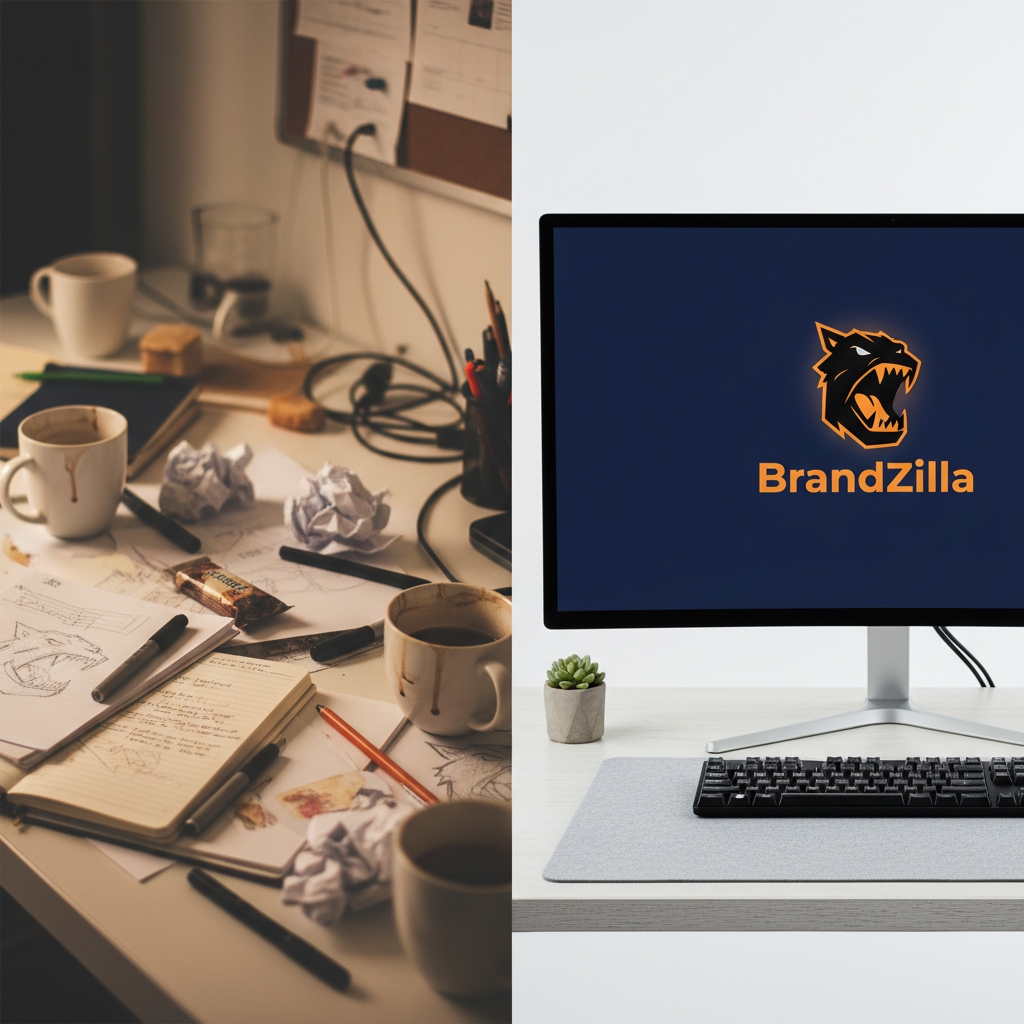
Nothing feels more satisfying than a chaotic desktop becoming a streamlined brand guide. This is where you show the 'hidden' work that justifies your high freelance rates.

Quick win: Take a screen recording of you toggling between 20 different artboards and then zooming into the one perfect final version.

This type of content proves you don't just "guess"—you iterate. It shows the client that they are paying for your brain, not just your hands in Illustrator.

Example 1

The Moodboard to Reality: A collage of textures and colors vs. the final website homepage.

Example 2

The Grid Reveal: A 'naked' logo vs. one showing todos the math and golden ratio circles used to build it.

Example 3

The Sketchbook Flip: A page of 50 terrible ideas vs. the 1 winning concept.

Example 4

The File Organization: A messy folder of 'Final_v2_REALLYFINAL' vs. your clean, delivered client portal.

Example 5

The Wireframe Transition: A grey-box layout vs. the full-color, high-conversion landing page.

Turning Flat Concepts into Real-World Results

Clients have a hard time visualizing how a flat PDF becomes a real business. Mockups are the bridge between 'art' and 'utility.'

Local business example: If you’re working with a coffee shop, don't just show the logo. Show the 'Before'—a plain white generic cup—and the 'After'—your branded sleeve, a custom menu, and window vinyls.

This is where you sell the dream. Use high-quality mockups that feel realistic, not the plastic-looking ones everyone has seen a thousand times.

Example 1

Plain Storefront vs. Branded Signage: Using Photoshop to place your work on their physical building.

Example 2

Generic Email vs. Custom Newsletter: A 'Before' text-only email vs. a beautiful, high-click-rate layout.

Example 3

Blank Box vs. Premium Packaging: Showing how much more expensive a product looks with proper design.

Example 4

The Social Grid Glow-up: Six chaotic, mismatching posts vs. a cohesive, planned 9-grid.

Example 5

The Business Card Flip: A thin, home-printed card vs. a thick, letterpressed version of your new design.

Copy-paste AI prompt pack

Drop these straight into your post — or generate fresh ones with BrandZilla.

Captions

  • The client came to me with a 'it’s fine but I hate it' brand. Here is how we moved from 'fine' to 'favorite.' ➡️ #BrandDesign #DesignProcess
  • Proof that you don’t need a total overhaul to see a massive difference. We kept the soul, but fixed the strategy. Swipe to see the 48-hour glow up.
  • The 'Before' was holding this business back from charging their worth. The 'After' is why they just had their biggest sales month ever. Typography matters.

Hooks

  • This brand shift took them from $50 to $500 an hour.
  • Stop scrolling: This is why your DIY logo isn't working.
  • From a messy Word doc to an international brand identity.
  • What 15 hours of design strategy actually looks like.
  • The 'Before' wasn't bad, but the 'After' is unstoppable.

Hashtags

#freelancedesigner#brandtransformation#logorefresh#designtips#creativeprocess#designstrategy#graphicdesignlife#brandidentitysystem#socialmediadesign#clientwork

Questions business owners actually ask

Real objections from real operators — answered straight.

BrandZillaBrandZilla EditorialReviewed by marketing operators

Free tools to keep you consistent

Quick utilities for the moments between full posts.

Most businesses stop posting after 2 weeks

BrandZilla gives small businesses a simple weekly content system — so you stay visible, build trust, and get more enquiries without hiring a social media manager.

More for Freelance Designer

Same topic, other industries

From the blog