

Lead Generation

How to Capture In-Person Leads Without Sounding Pushy

If you rely on foot traffic, every polite interaction is a lead opportunity. This guide gives seven non-annoying ways to capture in-person contacts, with exact signs, scripts and a one-week plan.

6 min read
BrandZillaBrandZilla EditorialReviewed by marketing operators
How to Capture In-Person Leads Without Sounding Pushy

If you rely on walk-ins, repeat visits and local buzz, then your front counter is one of your best lead channels — and most businesses treat it like a suggestion box.

You don’t need a heavy script or a salesman. You need small, respectful prompts that turn regular interactions into an email, a phone number, or a permissioned SMS subscription. Done right, this gives you a steady stream of warm leads you can contact when you have an offer.

This guide is practical: seven low-friction tactics, exact wording for signs and staff lines, legal check points, and a one-week rollout you can steal and run this week.

Start with the mindset: permission first

Small rule: if it feels pushy, it is. Collecting contacts is about permission, not persuasion. Make it obvious what someone is signing up for, keep it easy to opt out, and reward the exchange immediately.

Use short, clear language: tell people what you’ll send and how often. Keep the opt-in a single step.

Reality check: Most small businesses post 3x then quit. Consistency beats creativity 9 times out of 10.

Seven non-annoying ways to capture in-person leads

  1. The friendly receipts prompt
  • Add one line to every receipt or invoice: “Want 10% off your next visit? Text JOIN to 555-123 to opt in.”
  • Why it works: prompts people who just paid — high intent.
  • Exact footer copy (receipt): “Save 10% next visit. Text JOIN to 555-123. Msg freq: 1–4/mo. Reply STOP to opt out.”
  1. QR code on the counter with a clear offer
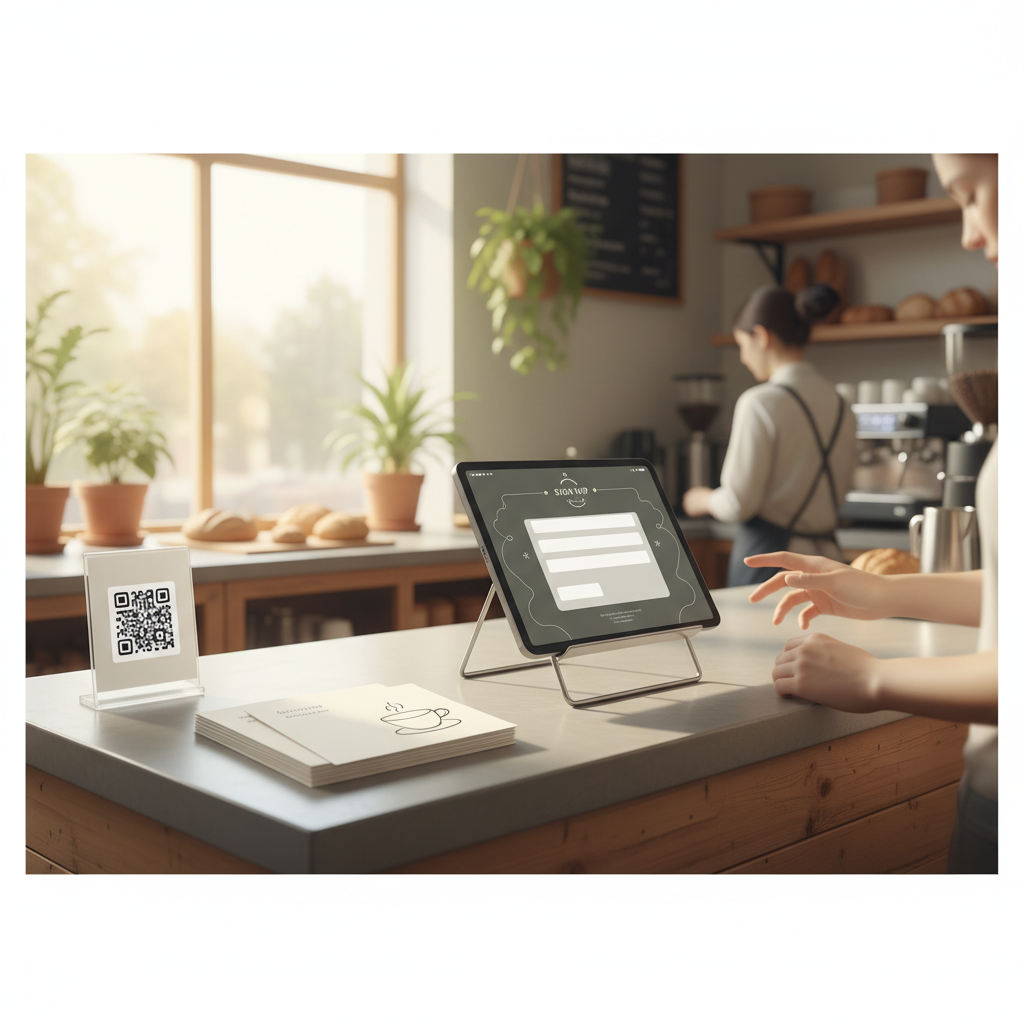
  • Put a simple QR sticker with a one-line benefit.
  • Sticker copy: “Join our VIP list for weekly deals → Scan here (1–2 msgs/mo).”
  • Link the QR to a mobile-first short form that asks only for name + phone or email.
  1. Wi‑Fi sign-in capture (tasteful)
  • Put a captive portal that asks for an email to access free Wi‑Fi. Offer something immediate: 15% off a snack, free consultation, or a downloadable checklist.
  • Script for staff: “If you’d like Wi‑Fi while you wait, we can send the password — may I have an email?”
  1. Receipt/booking follow-ups
  • After a purchase or appointment, send one follow-up asking permission for future offers: “Thanks again — can we text you deals?” Keep it one tap: reply YES.
  • Example automation: 48 hours after service, send: “It was a pleasure serving you. Want 1–2 offers/month? Reply YES to opt in.”
  1. Quick contest card (low-friction)
  • Physical entry card at the counter: customers drop it in a box. Ask only for first name + email/phone.
  • Sign text: “Win a $50 gift card. Leave name & phone. Winner announced first Monday each month.”
  1. Staff handoff line + opt-in script
  • Train staff with two lines: one transactional, one optional.
  • Transactional line: “Here’s your receipt.”
  • Opt-in line: “We send a single monthly update with deals and booking reminders — would you like that?” If yes, enter number or hand them a tablet with pre-filled form.
  1. On-site sign-up tablet with a single field
  • Keep forms to one field (email or phone). Show the benefit and an example of the first message.
  • Example on-screen: “Join for 10% off first email. Example message: ‘New seasonal pastries this Friday.’”

A quick legal checklist

  • Always show frequency and how to opt out (one-line on the form or first text).
  • For SMS, require explicit opt-in (customer types YES or checks a box). Keep records of consent.
  • Don’t share or sell the list. If you do, disclose it on the form.

Common mistake: Treating Instagram captions like tweets — context outperforms one-liners for local businesses.

Exact scripts and microcopy you can copy-paste

Use this wording aloud or on signs — short, clear and benefit-first.

  • Counter sign (3 lines): “Join our updates & save. 1–2 messages/month. Text JOIN to 555‑123 or scan QR.”
  • Staff script to ask for email: “Want 10% off your next visit? If I can grab your email I’ll send the coupon.”
  • Follow-up text (after purchase): “Thanks, [Name]! Quick question — want 1–2 deals/month? Reply YES to opt in.”
  • Welcome text (auto): “Welcome to [Business]. Here’s your 10% code: WELCOME10. Reply STOP to unsubscribe.”

Quick win: Repurpose one customer review into a 3-post mini series this week.

One-week rollout: do this, not everything

Day 1: Add one line to receipts and post a counter sign.

Day 2: Set up a simple QR page (use a Google Form or basic landing page) and print QR stickers.

Day 3: Train staff on the two-line handoff script. Do a 10-minute role-play before opening.

Day 4: Turn on one automated follow-up message after purchase (48 hours).

Day 5: Add a Wi‑Fi captive portal or tablet sign-up if you expect longer dwell time.

Day 6: Run a one-month contest with a physical drop-box.

Day 7: Review results, count the new opt-ins, and plan a single welcome message the following week.

This sequence keeps changes small and measurable. Track how each source performs (QR vs receipt vs staff) for 30 days.

Mini example: a barber who turned 3 contacts/day into real bookings

A neighborhood barber added a QR sticker near the mirror and one-lined the receipt with a 10% code. They averaged 3 opt-ins/day. Over 30 days that’s ~90 contacts.

They sent a single welcome message with a booking link; 8% clicked to book, and 5% booked in the first two weeks — that’s 4–5 new appointments a month from a 10-minute setup.

Steal this template: "We help [audience] [outcome] without [pain]. Here's how →"

Measuring success and what to watch for

Key metrics to watch for over 30–90 days:

  • Opt-in rate: opt-ins divided by people who saw the prompt. Aim for 1–3% for receipts, 5–10% for QR or staff asks.
  • Conversion from opt-in to booking or sale (first 30 days).
  • Unsubscribe rate: should be low (<2% first month). If higher, reduce frequency and clarify messaging.

If a channel performs under 1% after two weeks, tweak the incentive or wording.

Practical shortcut: You can build this system manually — or use BrandZilla to stay consistent without hiring a social media manager.

Practical notes on incentives

Discounts work but don’t train customers to only buy when discounted. Use small perks (first-visit discount, free sample, entry into monthly draw) and rotate them.

Use scarcity sparingly (first 100 subscribers) — it can help early adoption but is harder to sustain.

One-month content plan for new subscribers

Week 1: Welcome message + coupon.

Week 2: Short value message (how you make your most popular product/service special).

Week 3: Social proof (customer photo or short review).

Week 4: Soft offer or reminder (limited-time slot availability, upcoming event).

Keep each message short and useful. If you send images, make sure they load fast on mobile.

Final operational checklist before you launch

  • Legal: explicit opt-ins recorded.
  • Tech: QR links tested on at least three phone models.
  • Staff: one 10-minute training and a clipboard with scripts.
  • Measurement: simple spreadsheet or a tag in your CRM for source.

Small, regular touches beat occasional massive campaigns. Make collecting contacts as routine as taking payment.

If you want templates for signs, receipts, and a simple weekly plan, BrandZilla has ready files you can adapt for your shop.

A little effort at the counter turns foot traffic into a predictable lead channel. Do one small test this week and measure — you’ll be surprised how quickly it adds up.

#lead-generation#local-marketing#customer-acquisition#small-business#in-store-marketing

Questions business owners actually ask

The real objections — answered straight, no fluff.

BrandZilla

BrandZilla Editorial Team

SMB MarketingContent Strategy

Practical playbooks written and reviewed by people who actually run content programs for small and local businesses — not generic AI output. Every guide is pressure-tested against what real operators do on Instagram, Facebook, LinkedIn and Google.

Used by 1,000+ businessesLast updated Oct 16, 20266 min read

Get weekly content ideas for your business

Join business owners getting practical, ready-to-post BrandZilla content prompts every week. No spam.

No spam. Unsubscribe anytime.

Related articles