

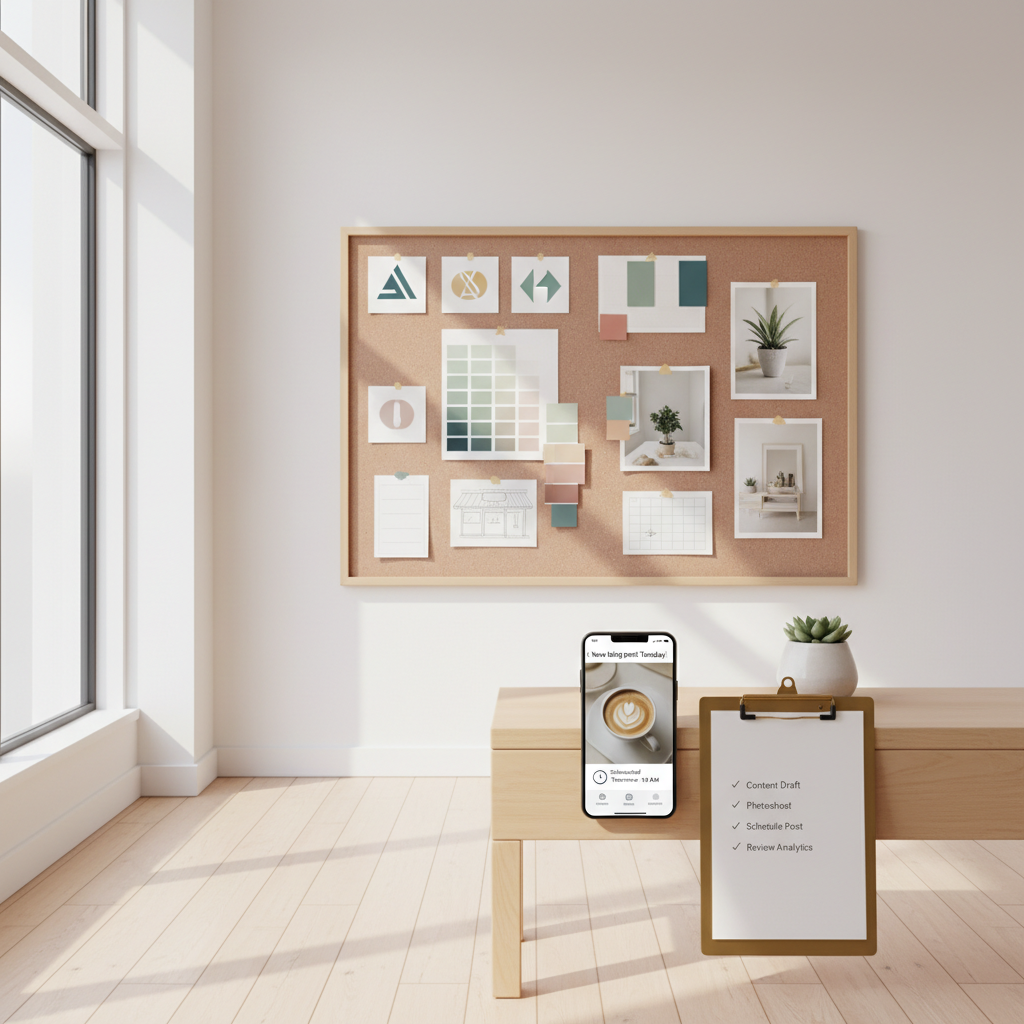
Start with the problem your owner brain already knows: inconsistent visuals and mixed messages cost you customers. One week your profile photo is a selfie, next week it's a logo cropped badly; your shop sign uses a different tone than your Instagram captions. Customers don't trust that.
You don't need a design agency or a brand manifesto. You need a compact, usable kit that anyone on your team can follow. This is a working playbook — not design theory.
Reality check: Most small businesses post 3x then quit. Consistency beats creativity 9 times out of 10.
The kit you actually need (5 pieces)
Keep the kit lean. If you try to document everything you'll never finish it. These five pieces are enough for daily posts, in-store signs, booking pages, and local ads.
- Identity anchor (one-sentence brand promise)
- Visual rules (logo usage, 2 brand colors, 1 accent color, 2 fonts)
- Photo & video brief (shot list + angles)
- Voice lines (3 caption openers, 2 CTAs, 1 short bio)
- Weekly roll-out checklist (what to post, when, and why)
1 — Identity anchor (30 minutes)
Write one clear sentence that explains who you serve, what you do, and the main benefit. Keep it under 12 words.
Steal this template and fill it in:
Steal this template: "We help [audience] [outcome] without [pain]. Here's how →"
Examples:
- "We help busy parents get fresh bread without long lines. Here's how →"
- "We help homeowners fix leaky roofs the same week, no surprises. Here's how →"
Use that line on your website header, Google Business, and the first line of your Instagram bio.
2 — Visual rules (1–2 hours)
Don't redesign—decide. Pick a logo file set (horizontal, square, monochrome) and save exact color values.
Minimal visual checklist:
- Primary color: HEX and RGB
- Secondary color: HEX and RGB
- Accent color: HEX and RGB (used sparingly)
- Fonts: one for headlines (Google Font name), one for body (Google Font name)
- Logo files: PNG with transparent background, SVG for web, 1:1 square, and 16:9 horizontal
Quick rule examples you can copy:
- Use primary color for backgrounds and buttons.
- Use secondary color for headings and emphasis.
- Accent only for sale badges and CTA buttons.
- Logo clear space = height of the logo on all sides.
3 — Photo & video brief (1–2 hours + ongoing)
Most small businesses underperform because their visuals look like random snapshots.
Create a 1-page brief with a 5-item shot list. Example for a cafe:
- Behind-the-counter close-up (espresso pouring) — vertical for reels
- Staff smile + name tag — horizontal for website
- Signature dish on table with napkin and menu — top-down and 4:3
- Exterior shot showing storefront with sign — golden hour
- Customer enjoying the product (consent form ready)
Add camera/phone angle and orientation. Save it as a PDF and use it every week.
Quick win: Repurpose one customer review into a 3-post mini series this week.
4 — Voice lines (30–45 minutes)
Write three short caption openers, two CTAs, and one short bio you can reuse.
Caption openers (copy-paste):
- "Quick heads-up for our neighbors:"
- "Behind the counter today:"
- "Why customers keep coming back:"
CTAs (copy-paste):
- "Book a slot → [link]"
- "Call us at [phone] to reserve the day you want"
Short bio (exact 1-line for profiles):
- "Neighborhood [business type] saving you time with honest prices. Open Tues–Sat."
Common mistake: Treating Instagram captions like tweets — context outperforms one-liners for local businesses.
5 — 1-week rollout (repeatable)
You want predictable output. Use this 5-post weekly rhythm seeded from one anchor piece.
Weekly rhythm (example):
- Mon (Anchor): Behind-the-counter reel or staff story (45–60s)
- Tue: Photo of product/service + 2–3 sentence caption starting with a caption opener
- Wed: Customer review post (text graphic + short caption)
- Thu: Quick tip or FAQ answer (video or carousel)
- Fri: Offer/Reminder (CTA to book or visit)
What actually works: A 5-post weekly rhythm built from one anchor piece — not daily improvisation.
Practical workflows
- Batch one hour on Monday for the week's assets: shoot the anchor reel and 3 photos.
- Spend 30 minutes writing captions using your openers and CTAs.
- Schedule posts in your usual app or save drafts in your phone.
Practical templates and exact copy
- Instagram bio (exact): "[Neighborhood] [business] | [one-sentence benefit] | Book → [link]"
- Google Business short summary (exact): "Local [business type] serving [neighborhood]. Open [hours]. Quick bookings: [phone]."
- In-store sign: "Welcome — we’re [brand name]. Order at the counter. Ask about today’s special"
Mini example — what this looks like in practice
A barber in Portland used this kit in week 1: created a single anchor reel showing a classic cut (vertical, 30s), used primary color for post borders, and applied two caption openers across the week. They posted 5 times that week and tracked bookings for six weeks. Result: weekly bookings rose from 8 to 18 in 6 weeks after they stayed consistent and added a single boosted post for a weekend special.
Local business example: A bakery in Brooklyn moved from 2 walk-ins/day to 11 by posting one behind-the-counter reel each morning.
Measuring what matters (keep it simple)
Track three numbers each week:
- Posts published (should be 5)
- Enquiries (calls, DMs, booking clicks)
- Bookings or walk-ins directly attributed to posts
If enquiries rise but bookings don't, adjust the CTA and make the booking path shorter (one tap to call or one-click booking link).
Practical shortcut: You can build this system manually — or use BrandZilla to stay consistent without hiring a social media manager.
Handy checklist to hand off to anyone
- Logo files saved in three formats (PNG, SVG, square)
- Color swatches saved (HEX/RGB) and uploaded to phone
- 5-item photo brief printed and laminated
- 3 caption openers copied to a note app
- Weekly calendar template (Mon–Fri) set in scheduler
When to iterate
Treat the kit like a living document. Run a 6-week test: keep the kit rigid for four weeks, collect results weeks 5–6, then update the photo brief or CTAs based on which posts produced bookings.
Final note on scope: this is not a full rebrand. It's a compact kit to stop the visual and voice drift that confuses customers. If you see traction and want to expand, add a brand values page and a one-page style guide in month two.
Short, practical next step
Pick one anchor piece this week (a 30–45 second behind-the-scenes reel or a professional-looking product photo) and build your five-item kit around it. Post five times next week and measure enquiries.
If you want a simple way to keep this running without hiring someone, there are content systems that help you store templates, schedule, and repurpose posts for local businesses.
Branding doesn't have to be perfect to be useful. Make one decision and stick to it for six weeks.
P.S. If you're experimenting with a kit and want a lightweight system to store templates and schedules, BrandZilla is set up for small teams and single-owner shops.