

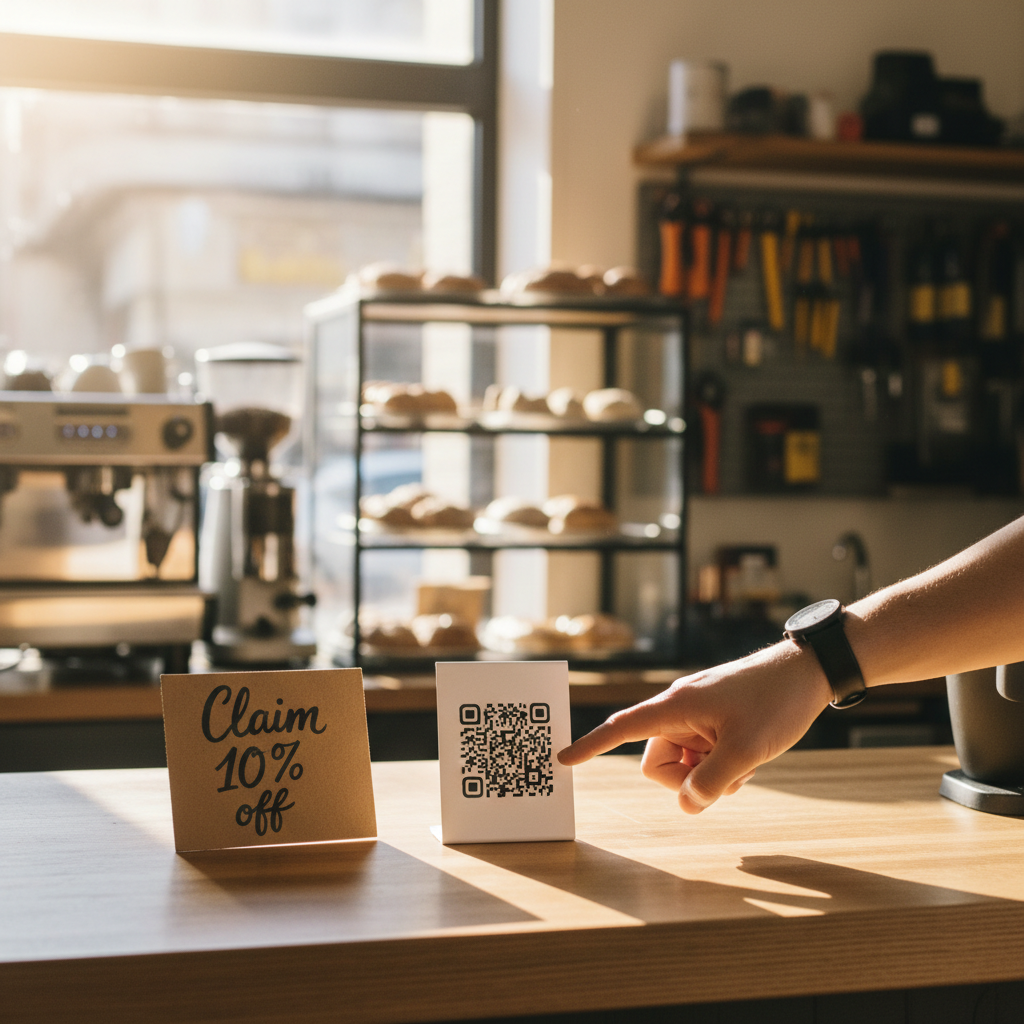
You get traffic but not calls. People scroll past your posts and leave the website without booking. You know who shows interest (they view your page or story) but you don’t have a reliable way to turn that interest into an appointment or walk-in.
This is the everyday lead problem for small local businesses: awareness without capture. The fix isn’t a complex funnel or a full-time marketer — it’s a predictable, repeatable system that collects contact details and starts a useful conversation within 24 hours.
Below is a practical, operator-first system you can set up in a weekend and test in 30 days. I’ll give exact copy you can paste, where to put it, what numbers to expect, and how to measure if it’s working.
The 5-step Local Lead Magnet System
This is a simple loop you run each week. Aim to launch one offer, measure for 30 days, then iterate.
- Choose one local-friendly lead magnet (the offer).
- Put a single-field landing page live (email or phone only).
- Drive attention where people already are — in-store, on Instagram, and Google Business Profile.
- Follow up immediately with a 3-message sequence (email + SMS optional).
- Repurpose the anchor content into a 5-post weekly rhythm.
Reality check: Most small businesses post 3x then quit. Consistency beats creativity 9 times out of 10.
1) Pick one lead magnet that matches real intent
Local customers respond to immediate, useful offers that reduce friction. Examples that work:
- Small discount for first-time customers: “10% off your first service when you book online.”
- Immediate value download: “Free 7-point home prep checklist for appliance tune-ups.”
- Booking incentive: “Free 15-minute consult if you book before Friday.”
- Entry to a local giveaway: “Enter to win a $50 gift card.”
Pick one. Don’t run three different offers at once. Keep the wording local and specific. Use urgency (48–72 hour window) only if you can fulfil it.
Quick win: Repurpose one customer review into a 3-post mini series this week.
2) The landing page: one field, one purpose
Make a single-goal page: collect an email or phone number and explain the next step.
Essential elements (copy you can paste):
- Headline: “Claim 10% off your first [service] — local customers only”
- Subhead: “No coupon code. Book online or show this email at the shop.”
- Form label: “Enter email or phone to claim” (single field)
- CTA button: “Send my code” or “Claim now”
- Short promise under the button: “We’ll text you the code in 15 minutes. No spam — one message.”
Conversion targets: 15–25% of people who click should sign up on a good local offer. If you’re below 7% you’ve likely got friction on the page.
3) Put the capture where local people already are
Drive attention from three places that matter:
- In-store: tablet or QR code on the counter, staff script (see below).
- Google Business Profile: a link in the button and in a GBP post.
- Social: one pinned Instagram/Facebook post and one story highlight.
In-person script (copy for cashiers/hosts):
“Would you like 10% off next time? If you give me your phone or email I’ll send the code right now.”
QR card copy for counter (A7 sign):
“Want 10% off next time? Scan here and we'll message your code. It takes 10 seconds.”
Aim for low-friction asks: staff should offer the deal when guests are checking out or booking.
Common mistake: Treating Instagram captions like tweets — context outperforms one-liners for local businesses.
4) Follow up like a human within 24 hours
Collecting a contact is pointless without a quick, helpful follow-up. Use this 3-message sequence (timing and exact copy):
Message 1 — Immediate (auto): Send code + clarity
- Channel: SMS or email
- Copy: “Thanks, [First Name]! Here’s your 10% code: LOCAL10. Book online or show this message. Reply ‘HELP’ if you need a hand.”
Message 2 — Day 2: Helpful nudge (value)
- Channel: Email
- Subject: “How to get the most from your [service]”
- Body: 3 quick tips related to the service + one soft call to action: “Reserve a slot this week” with a booking link.
Message 3 — Day 6: Social proof + scarcity
- Channel: SMS or email
- Copy: “Only a few slots left this week — our schedule fills fast. Use LOCAL10 before Sunday.”
Aim for an email open rate of 30–40% and a click-to-book rate of 3–10% on a focused local offer. If you’re getting opens but no clicks, fix the call-to-action and booking friction.
Practical shortcut: You can build this system manually — or use BrandZilla to stay consistent without hiring a social media manager.
5) Repurpose the anchor content into a 5-post weekly rhythm
Turn the landing page and follow-up into the week’s content. Example weekly plan for a small plumbing shop:
- Post 1 (Mon): Short video explaining the free checklist + link.
- Post 2 (Tue): Customer example — before/after + CTA to claim discount.
- Post 3 (Wed): Behind-the-scenes: a quick team clip + QR for the offer.
- Post 4 (Fri): Story reminder + swipe-up/CTA.
- Post 5 (Sun): Social proof: screenshot of happy customer + deadline reminder.
This keeps your message consistent across channels. One anchor piece (the landing page) supports every post.
Mini example: HVAC tech in a suburb
Baseline: 120 website sessions/month, 3 phone calls, 0 online bookings.
Action: Launched a “$49 system check” lead magnet with a single-field landing page. Promoted via counter cards, GBP post, and 2 Instagram posts.
Results in 30 days: 38 email captures (32% of clicks), 9 bookings directly from the follow-up sequence, and 3 new recurring service customers. Cost: staff time for sign-up (~2 hours/week) and a $20/month landing page tool.
Takeaway: Small, immediate offers + fast follow-up turned passive visitors into measurable bookings.
Measurement and what to expect
Track these three numbers weekly:
- Traffic to the landing page (visitors)
- Conversion rate on the page (signups / visitors)
- Booking rate from the follow-up (bookings / signups)
Benchmarks to aim for in month one:
- Page conversion: 15–25%
- Booking rate from follow-up: 5–12%
- Cost: under $50/month to operate manually
If you’re below these, fix the offer clarity, reduce fields, or use a stronger CTA in the follow-up.
Steal this template: "We help [audience] [outcome] without [pain]. Here's how →"
Quick checklist to launch this weekend
- Choose one offer and set a 48–72hr delivery promise.
- Build a one-field landing page and add simple privacy text.
- Make a counter QR card and train staff on the script.
- Create the 3-message follow-up with links to book.
- Schedule five social posts that point to the landing page.
If you can’t do all five this weekend, do at least the landing page + one in-store ask and measure for 30 days.
Frequently asked questions
Q: What if I don't have time to post every day?
A: You don’t need daily posting. Use the 5-post weekly rhythm and schedule one week of posts in one sitting. Start with in-store captures — they’re the lowest-effort source. Next step: schedule two posts for the coming week.
Q: Can I reuse old content without looking repetitive?
A: Yes. Turn one customer photo into three assets: a before/after post, a short testimonial video, and a story highlight. Change the captions and CTA each time. Next step: pick one old customer story and repurpose it into two posts this week.
Q: Do small businesses actually need a content calendar?
A: Yes, but keep it tiny: one weekly anchor (the landing page+offer) and a 5-post rhythm. A one-column calendar with dates and CTA is enough. Next step: put the five post ideas into your calendar for next week.
Q: How long before posting consistently actually brings in customers?
A: Expect measurable bookings in 30 days if you collect contacts and follow up quickly. Real growth (repeat customers, referrals) appears over 60–90 days. Next step: set a 30-day test and measure conversions.
One last note: small lists win. A clean list of 300 local emails/phones that you message sensibly will perform better than 5,000 uninterested contacts. Start small, be useful, and keep the ask simple.
If you want the exact templates above as downloadable files or a checklist you can hand to staff, BrandZilla packages this system into ready-made workflows you can use without hiring extra help.