

Lead Generation

How to Capture and Convert Walk‑In Leads: A Small Business Playbook

If customers visit your shop but leave without booking, you’re losing easy, local leads. This playbook shows a simple 5-step system to capture contact details on the spot and convert them within 14 days.

7 min read
BrandZillaBrandZilla EditorialReviewed by marketing operators
How to Capture and Convert Walk‑In Leads: A Small Business Playbook

If customers walk into your place, like your store or salon, and leave without booking or buying, that’s a lead you let walk away. Small businesses miss the easiest leads because capture feels awkward, staff forget, or the follow-up is slow.

This guide gives a compact, repeatable system you can teach your team in a single 20-minute session. No fancy tools, no long forms — just a lightweight capture plus a short follow-up rhythm that converts repeat visits and bookings.

The problem in plain terms

Walk-ins are high-intent. They already chose to be near you. But most small businesses:

  • Fail to capture contact details when the moment is there.
  • Leave follow-up to memory or a pile of business cards.
  • Use poor incentives that attract low-value signups.

Fix those three things and you’ll squeeze predictable new customers from the people already in your door.

Reality check: Most small businesses post 3x then quit. Consistency beats creativity 9 times out of 10.

A 5-step practical system (repeatable in any business)

  1. Capture: make it frictionless.
  2. Incentivize: offer a simple reason to give contact info.
  3. Follow-up: 3 touches in 7 days — timed and specific.
  4. Convert: a clear next action (booking, coupon redemption, appointment).
  5. Measure & repeat: track conversion rate and adjust.

Each step below includes exact words, examples, and a one-week timeline you can implement this week.

Step 1 — Capture (tools and script)

Goal: collect a name and SMS or email in under 20 seconds.

Options that work in real shops:

  • A single-line paper card on the counter with two fields: name + phone number. Staff collect and drop into a box.
  • A tablet with a one-field SMS signup (phone only).
  • A notepad and a staff member who writes it in the POS with a customer’s permission.

What to say (staff script):

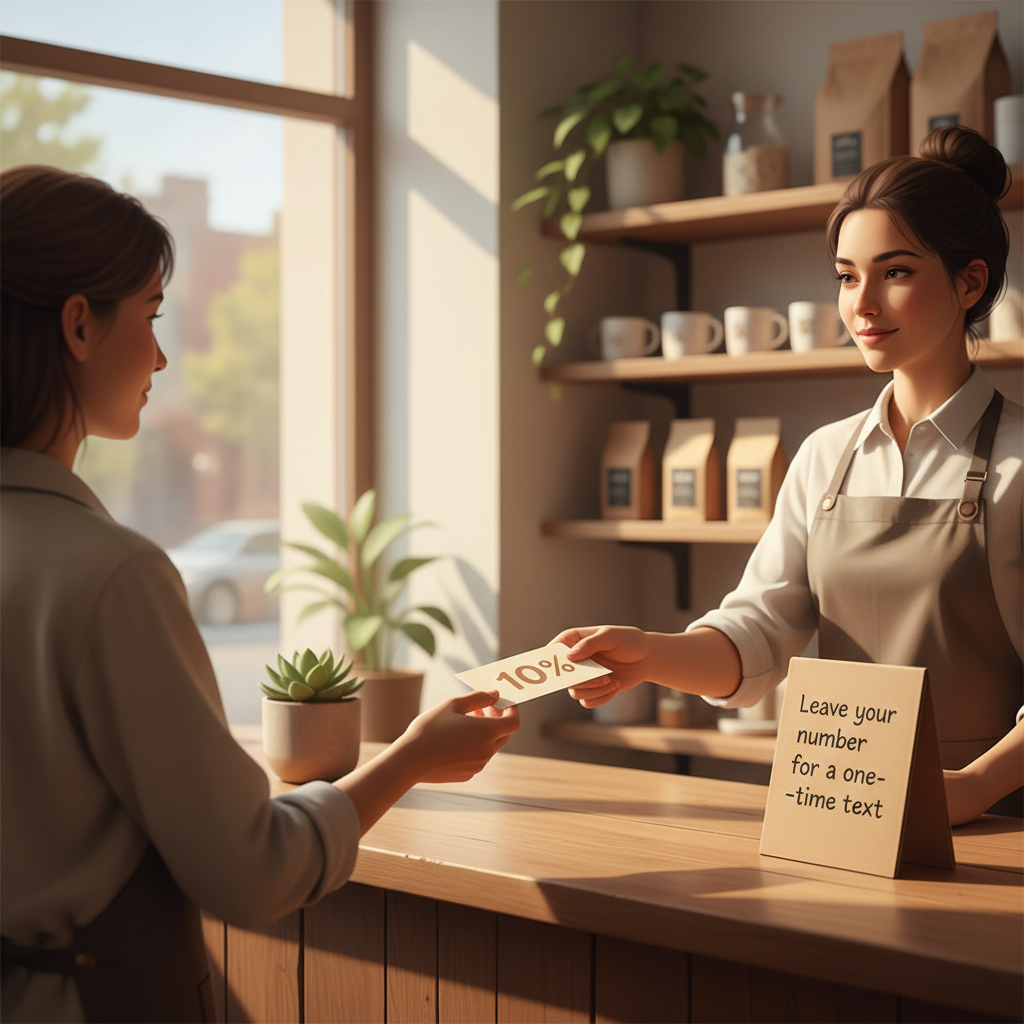
  • If customer is leaving: “Do you mind if I text you a one-time 10% welcome code? What’s the best number?”
  • If they hesitate: “I’ll only send the code once — makes it faster next visit.”

Signage copy you can print today (small A6 card):

"Get 10% off your next visit. Leave your number at the counter. One-time text. Unsubscribe anytime."

Quick win: Repurpose one customer review into a 3-post mini series this week.

Step 2 — Incentivize (not everything needs a discount)

Discounts work but erode margin if overused. Try non-discount incentives first:

  • Free 15-minute consult or quick service add-on (e.g., free coffee cup with purchase).
  • Entry into a weekly local prize (low cost, high perceived value).
  • Faster booking: “Text us and we’ll hold a spot for you tomorrow.”

Which incentive to pick: test one for two weeks and measure opt-in rate and redemption.

Step 3 — Follow-up sequence (exact timing & copy)

Do three touches inside seven days. This cadence is short enough to catch attention and long enough to avoid being spammy.

Touch 1 — Same day (SMS, immediate):

  • Copy: "Thanks for stopping by [Business]. Here's your 10% code: WELCOME10. Reply STOP to opt out. —[First name]"

Touch 2 — Day 3 (SMS or email):

  • Copy: "Hi [First name], still thinking about [service/product]? We’ve got morning slots Friday. Reply BOOK to grab one."

Touch 3 — Day 7 (email with social proof):

  • Subject: "Quick follow-up from [Business] — what would help?"
  • Body: short 2-sentence reminder, one customer photo or quote, and a clear CTA: "Book online" or "Reply BOOK"

Scripts for staff to convert on the phone or message:

  • Booking reply: "Great — I’ve penciled you in for [date/time]. Confirmed once you reply YES."
  • If price is the objection: "We have a 20-minute consult that’s free — want me to schedule that?"

Steal this template: "We help [audience] [outcome] without [pain]. Here's how →"

Step 4 — Convert (the offer and scarcity)

Make the next step obvious and low-commitment.

  • Offer a short time-limited slot: “We hold your spot for 24 hours after you reply.”
  • Create a tiny packaged offer: e.g., "Quick Check + Priority 2‑day slot — $15".

Track two conversion rates: opt-in-to-book and opt-in-to-pay. Aiming numbers:

  • Week 1 target: 25% opt-in rate from walk-ins.
  • From those opt-ins, 12–20% book within 7 days.

If your ballpark numbers are far lower, tighten the incentive or speed of follow-up.

A concrete mini-example

Local business example: A barber in Austin tracked this for 4 weekends.

  • Walk-ins who didn’t book: 80 people.
  • Collected phone numbers: 28 (35% opt-in).
  • Sent same-day SMS and two follow-ups.
  • Booked appointments within 7 days: 6 (21% conversion from opt-in).
  • Revenue from those bookings: $720 (average haircut $120).

Setup time: one 20-minute staff meeting, printed cards, and a free SMS tool. Net new revenue that month paid for the tiny prize and two weekends of staff time.

Local business example: A bakery in Brooklyn moved from 2 walk-ins/day to 11 by posting one behind-the-counter reel each morning.

Simple tools and where to start

You don’t need fancy CRM. Start with these low-cost options:

  • SMS: Use a basic texting service that supports keywords (many have free tiers).
  • Email: A simple automation that sends the Day 7 message with an image.
  • Spreadsheet: Track opt-ins, bookings, and redemption in one sheet.

What to measure in week 1:

  • Walk-ins not booking vs opt-ins (opt-in rate).
  • Opt-in to booking within 7 days (conversion).
  • Revenue from those bookings (payback).

A small store should aim to cover incentive costs within two conversion cycles (14 days).

Common mistake: Treating Instagram captions like tweets — context outperforms one-liners for local businesses.

Weekly rhythm (you can teach this in 20 minutes)

Monday: Quick staff huddle (10 minutes). Print new cards if needed. Daily: 1 staff member owns the opt-in box and inputs numbers at close. Same day: Send touch 1 SMS. Day 3: Auto-send touch 2. Day 7: Email with social proof.

End of week: Review the spreadsheet. Ask: did opt-ins increase? Did bookings follow?

Practical shortcut: You can build this system manually — or use BrandZilla to stay consistent without hiring a social media manager.

Common pitfalls and how to avoid them

  • Waiting more than 24 hours to follow up. Fix: automate same-day SMS.
  • Asking for too much information at capture. Fix: one field — phone or email.
  • Incentives that attract discount hunters only. Fix: offer a service add-on or limited-time priority booking.

Messaging examples you can copy today

At-counter sign: "10% off next visit — leave your number for a one-time text."

Staff line to ask: "Can I text you a 10% code to use on your next visit? What number should I send it to?"

Same-day SMS: "Thanks for stopping by [Business]. Here’s your code: WELCOME10. Reply STOP to opt out."

Day 3 SMS: "Hi [First name], morning spots opened up for Friday — reply BOOK to grab one."

Day 7 email subject: "Quick follow-up + local customer favorite" Body: 2 sentences, 1 photo, CTA button.

Metrics to track (simple dashboard)

  • Walk-ins not booked (weekly).
  • Opt-ins collected (weekly).
  • Opt-in rate = opt-ins / walk-ins not booked.
  • Booking rate = bookings from opt-ins / opt-ins.
  • Revenue-per-opt-in = revenue generated / opt-ins.

Reasonable first-month targets: opt-in rate 25–40%, booking rate from opt-ins 10–25%.

FAQs

Q: What if I don't have time to post every day?

A: This system only needs daily follow-up messages, not social posts. Automate the SMS and do one short weekly staff check-in. Next step: set up the same-day SMS today.

Q: Can I reuse old customer lists without looking repetitive?

A: Yes — send a personal, short message that mentions a specific offer or local event. Avoid blasting a generic “sale” message; instead, offer a limited-time benefit. Next step: segment your list by last visit date and send the targeted offer.

Q: Do small businesses actually need a content calendar?

A: For walk-in capture, you don’t. You need a follow-up calendar: same day, day 3, day 7. That’s a micro-calendar that converts. Next step: put those three dates on your automation tool.

Q: How long before posting consistently actually brings in customers?

A: For this capture-and-follow-up system you can see bookings within 7 days. For brand-level consistency, plan 8–12 weeks. Next step: run the 7-day follow-up and measure conversions.

One last practical thought

The simplest gains come from tightening the moment between "interest" and "follow-up." Teach one person to own the capture process, make the offer small and useful, and follow up inside a week. Do that for two months and you’ll stop leaving money on the counter.

If you want a ready pack of templates, automated messages, and a weekly checklist to hand to staff, a small system like BrandZilla bundles those materials without adding headcount.

#lead generation#local marketing#customer capture#sms marketing#small business#follow-up

Questions business owners actually ask

The real objections — answered straight, no fluff.

BrandZilla

BrandZilla Editorial Team

SMB MarketingContent Strategy

Practical playbooks written and reviewed by people who actually run content programs for small and local businesses — not generic AI output. Every guide is pressure-tested against what real operators do on Instagram, Facebook, LinkedIn and Google.

Used by 1,000+ businessesLast updated Aug 9, 20267 min read

Get weekly content ideas for your business

Join business owners getting practical, ready-to-post BrandZilla content prompts every week. No spam.

No spam. Unsubscribe anytime.

Related articles