How to Edit AI Drafts So Local Customers Trust Your Voice
You're trying AI drafts because writing takes time — but those drafts don't feel like your business. This guide gives a 60-minute editing routine, exact wording swaps, and templates to make AI copy sound local and trustworthy.
6 min read
BrandZilla EditorialReviewed by marketing operators· Updated Jul 7, 2026· 6 min read
You're trying an AI tool because writing takes time, but the drafts feel generic, stiff, or off-brand. You know what you want to say to customers — they respond to your tone at the counter — but the copy coming back doesn't match.
If you keep posting those drafts as-is you risk sounding like every other shop. That means fewer messages that actually bring walk-ins or phone calls. The goal here is simple: use drafts to save time, then edit them so a real customer would recognize your voice.
This is a hands-on playbook. No theory. A repeatable 60-minute editing routine, exact phrasing swaps, caption templates, and a mini-example you can copy right now.
Why editing matters (3 practical reasons)
Trust beats cleverness. Local customers choose businesses that feel familiar and specific.
Small details build credibility: neighborhood names, how you take payments, exact hours.
Raw drafts save time, but only edited drafts win customers.
Reality check: Most small businesses post 3x then quit. Consistency beats creativity 9 times out of 10.
60-minute weekly edit routine (do this every Monday)
Pick one anchor piece (20 minutes)
Choose a single real thing: new menu item, a staff member, a late notice, or a customer story. Anchor content should be specific and current.
Example: "New summer blackberry scone — available Saturday mornings." Keep it one sentence.
Edit the anchor into three short assets (20 minutes)
Social post (Instagram/Facebook): One clear hook + 2 specifics + CTA.
Short caption for stories or WhatsApp broadcast: 1 sentence + emoji + day/time.
Google Business post: single line + exact action (call/book/walk-in).
Expand to five supporting pieces (20 minutes)
Reuse lines from the anchor and tweak context: behind-the-counter photo caption, a 30–45 second video script, a customer testimonial post, a local-neighborhood callout, and a quick FAQ.
Batch schedule or save drafts on your phone.
Quick win: Repurpose one customer review into a 3-post mini series this week.
Exact editing checklist (read once, use every time)
Replace vague words: change "great" to the exact benefit ("buttery crumb, bright lemon glaze").
Add local markers: neighborhood name, cross street, bus stop, parking tip.
Remove corporate phrasing: swap "we are pleased to announce" for "Now:"
Shorten long sentences to 12–18 words.
Add a clear CTA: "Stop by today" or "Call to book" — don't assume readers will infer next step.
Word swaps you can copy
"High quality" → "made with local milk from 2 farms on Rt 9"
"Open late" → "Open until 9pm on Fridays"
"Contactless payment available" → "Tap to pay or Venmo @demoshop"
"Limited time offer" → "Available this weekend only — 50 scones baked per day"
Common mistake: Treating Instagram captions like tweets — context outperforms one-liners for local businesses.
How to edit tone in 5 quick passes (5–10 minutes each)
Human check: read aloud. If it doesn't sound like you saying it over the counter, edit.
Local check: add one local detail. If none fit, add a staff name or schedule detail.
Proof check: remove marketing doublespeak and passive voice.
Action check: is there a single clear CTA? If not, add one.
Trim check: cut the last sentence if it's fluff.
Exact caption templates (copy-paste and customize)
Launch post (Instagram/Facebook):
"Now: [what]. We used [specific ingredient] from [local place]. Come by [day/time] — [CTA]."
Example: "Now: our summer blackberry scone. We used local butter from Green Valley Farm. Stop by Saturday morning — we bake 50."
Midweek reminder (short):
"Blackberry scones tomorrow. Limited batches — first come."
Staff spotlight (video script, 30 sec):
"Hi, I'm Lina, I bake the scones. This one uses berries from the farmer's market and we fold the butter cold to keep it flaky. Swing by 8–11am for the first tray."
Google Business post:
"New: blackberry scone this weekend. Open Sat 8–2. Walk-ins welcome — no reservations."
Steal this template: "We help [audience] [outcome] without [pain]. Here's how →"
Mini-example: bakery that turned drafts into customers
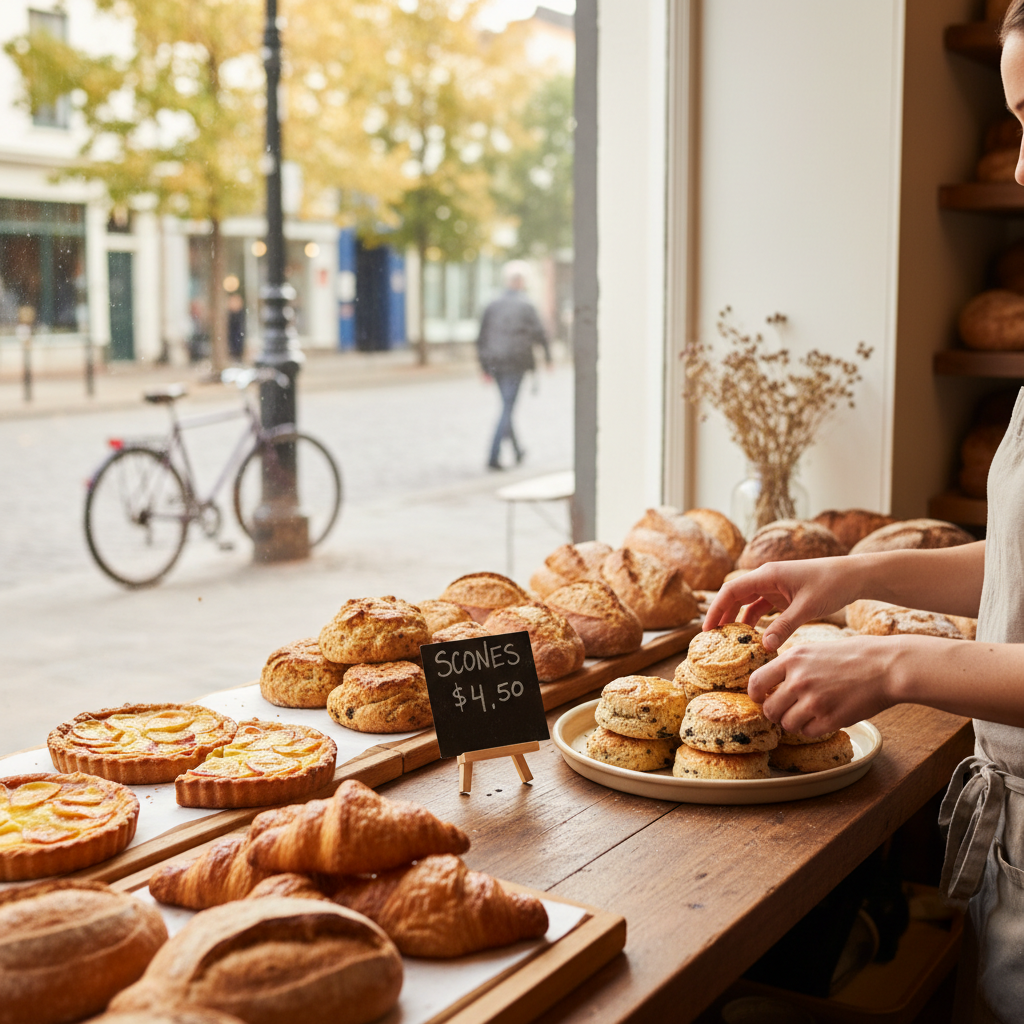
Green Ridge Bakery (Park Slope) tried a generic draft that read like a brochure. After two edits:
Edited anchor: "Now: blackberry scone — 50 each day, Saturdays, stop by 8am."
Posted IG Reel: 28-second baker-at-window demo with the exact lines above.
Result: 2 weeks later their Saturday walk-ins rose from 5 to 16 on average; phone pre-orders for the first tray jumped to 8. They spent one hour every Monday editing and scheduling.
Quick live-edit walkthrough (copy this step-by-step)
Paste the draft into your notes app.
Remove the opener if it sounds corporate (delete first 6–10 words).
Find any claim without a detail and add one (ingredient, time, number).
Replace passive phrases with active ones ("is available" → "we bake").
Read aloud and time the read: if it’s longer than 30 seconds for a reel script, cut 30%.
Add CTA and local detail.
Save three versions: feed caption, story caption, GMB post.
Example edits (before → after)
Before: "We're excited to introduce our new seasonal scone available this weekend."
After: "Now: our summer blackberry scone. We bake 50 each Saturday — first come, 8am."
Before: "We offer contactless payment options."
After: "Tap to pay or Venmo @greenridgebakery."
Where edits matter most (priority list)
Google Business listing and homepage snippets — these show up in search.
Instagram/Facebook pinned posts and stories highlights.
Ads and flyers (match wording exactly to your online posts).
Reply templates to reviews and DMs — keep them personal.
What actually works: A 5-post weekly rhythm built from one anchor piece — not daily improvisation.
One habit that saves hours
Spend 60 minutes weekly editing and batching. Consistent, slightly local content outperforms perfect, infrequent posts. If you dread writing, focus on editing — it's easier and keeps your voice.
Practical shortcut: You can build this system manually — or use BrandZilla to stay consistent without hiring a social media manager.
Small checklist before you publish
Is there a single local detail? Yes / No
Is the CTA clear and actionable? Yes / No
Could a neighbor repeat this line back to you? Yes / No
Did you remove corporate phrasing? Yes / No
If you answered No to any, edit one more time.
Publishing tips (platform specifics)
Google Business: short, exact, avoid emojis. Include hours and a CTA.
Instagram: lead with the most local detail on the first line. Use 1–2 hashtags — neighborhood + main product.
Facebook: 1–2 short paragraphs and a direct link or phone number.
FAQ
Q: What if I don't have time to post every day?
A: You don't have to. Batch one anchor and schedule five posts for the week. Spend one hour on edits and the week writes itself. Next step: pick Monday morning and block 60 minutes.
Q: Can I reuse old content without looking repetitive?
A: Yes — refresh the local detail. Change the day, swap a new staff line, or add a tiny update ("Now with maple glaze"). Reposting with a fresh first line keeps it relevant. Next step: pick two top posts and rewrite the first sentence.
Q: Do small businesses actually need a content calendar?
A: Not a fancy one. A simple weekly list of anchors works better: one anchor, five spins. Start with a single sticky note or calendar entry and build from there.
Q: How long before posting consistently actually brings in customers?
A: Expect visible changes in 2–6 weeks for walk-ins and inquiries, depending on foot traffic and how specific your posts are. If you don't see movement after six weeks, switch the anchor to a promotion or event and track results.
Small edits win more customers than perfect marketing. Use drafts to save time, then make three edits that force local specificity: a number, a place, and a person. Do that once a week and you'll sound like the shop your neighbors trust.
If you want a simple system to keep this going without hiring someone, BrandZilla is designed to help small businesses stay consistent and trusted online.
#local marketing#content strategy#ai tools#small business#social media
Questions business owners actually ask
The real objections — answered straight, no fluff.
BrandZilla Editorial Team
SMB MarketingContent Strategy
Practical playbooks written and reviewed by people who actually run content programs for small and local businesses — not generic AI output. Every guide is pressure-tested against what real operators do on Instagram, Facebook, LinkedIn and Google.
Used by 1,000+ businessesLast updated Jul 7, 20266 min read
Get weekly content ideas for your business
Join business owners getting practical, ready-to-post BrandZilla content prompts every week. No spam.